

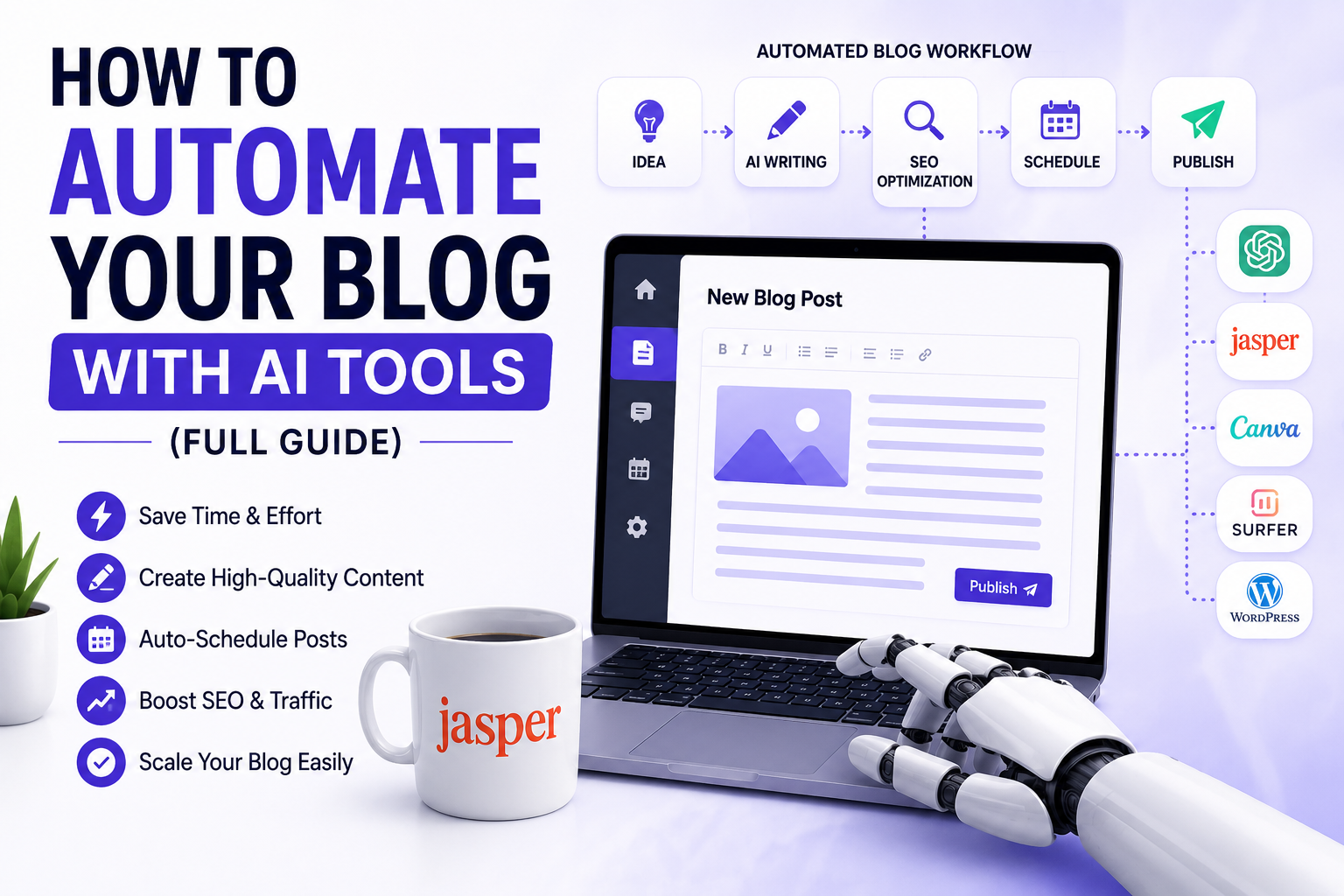
You can automate your blog with AI tools by using a connected workflow: an AI writing assistant generates your drafts, an SEO tool optimizes them for search, an image generator creates visuals, a grammar checker polishes the prose, and a scheduling tool publishes everything on autopilot. The full stack — from keyword research to hitting ‘publish’ — can be 70–80% automated in 2026 without sacrificing quality. This guide shows you exactly how, step by step, with the best tools for each stage.
Three years ago, the idea of automating a blog felt like science fiction — or at least like something only massive media companies with engineering teams could pull off. Today, a solo blogger with a laptop and a few subscriptions can build a content machine that researches topics, writes drafts, creates featured images, polishes the prose, handles SEO optimization, and schedules posts — almost entirely on autopilot.
But here is the thing most ‘AI blogging’ articles get wrong: automation is not about removing yourself from the process. The blogs that are ranking in 2026 — the ones Google is rewarding with Page 1 positions — are not the ones that just hit a button and publish raw AI output. They are the ones where a real human with genuine expertise is using AI to work ten times faster, not to disappear entirely.
This guide is the honest, practical version. You will get a step-by-step system for automating your blog — including the specific tools that do each job best, the workflow that connects them, and the part you still need to handle yourself if you want content that actually ranks and actually converts. Whether you are a new blogger trying to scale up or an established site owner who is burned out writing everything manually, this is the guide for you.
1. Why Blog Automation Makes Sense in 2026
Let’s start with the honest case for blog automation — not the hype, but the actual numbers that make it worth doing.
Publishing one high-quality blog post manually takes most writers between four and eight hours. That includes keyword research, outlining, writing, editing, sourcing images, formatting, SEO optimization, and scheduling. If you want to publish three posts a week — a reasonable target for a growing blog — that is twelve to twenty-four hours of work every single week, before you do anything else in your business.
With a well-built AI workflow, that same output can be achieved in two to four hours per week. The AI handles the parts of the process that are time-consuming but do not require your unique insight: first drafts, image creation, basic SEO optimization, formatting, and scheduling. You handle the parts that actually require a human: expertise, accuracy checks, original perspective, and the voice that makes your blog worth reading.
| Stage | Manual Time | Automated Time | Time Saved |
| Keyword Research | 45–60 min | 10–15 min | ~75% |
| Outline Creation | 20–30 min | 5 min | ~80% |
| First Draft (1,500 words) | 90–120 min | 10–15 min | ~90% |
| Editing & Fact-Checking | 30–45 min | 20–30 min (human) | ~30% |
| SEO Optimization | 20–30 min | 5–10 min | ~70% |
| Image Creation | 15–30 min | 5–8 min | ~75% |
| Formatting & Publishing | 15–20 min | 5 min | ~75% |
| TOTAL (per post) | 4–6 hours | 60–90 min | ~75% average |
That time saving compounds fast. Over a year, a blogger publishing three posts a week reclaims somewhere between 300 and 500 hours — time that can go into promotion, monetization, product creation, or simply living a life outside the content treadmill.
| 💡 Key Insight: The goal of blog automation is not to produce more mediocre content faster. It is to produce the same quality of thoughtful, expert content — but at a pace that would be impossible to sustain manually. Quality stays your job. Speed becomes AI’s. |
2. What Google Actually Thinks About AI-Generated Blog Content
This question comes up constantly, so let’s address it directly before we go any further: will using AI to write your blog get you penalized by Google?
The short answer is no — if you do it right. Google’s official position, restated clearly through multiple updates and documentation published through 2025, is that it rewards content that demonstrates Experience, Expertise, Authoritativeness, and Trustworthiness (E-E-A-T). It does not penalize content simply because AI was involved in creating it. What it penalizes is content that is unhelpful, thin, inaccurate, or created purely for search engine manipulation — regardless of whether a human or an AI produced it.
The 2024 and 2025 Google Helpful Content Updates specifically targeted low-quality, mass-produced AI content that added no genuine value. Sites that simply pumped out raw AI output without editing, fact-checking, or original insight were hit hard. Sites that used AI as a productivity tool while maintaining genuine editorial standards were not.
| Content Approach | Google’s Likely Response |
| Raw AI output, no editing, no expertise — published at scale | ❌ Penalized. Helpful Content Update targets this directly. |
| AI draft + human editing, fact-checking, and original insight | ✅ Treated the same as human-written content. Ranked on merit. |
| AI-assisted research + human-written prose throughout | ✅ Google cannot distinguish this from fully manual writing. |
| AI for SEO optimization and formatting only; human-written text | ✅ Standard practice. No issues. |
| Plagiarized or spun AI content from other sources | ❌ Penalized for duplication, not specifically for AI use. |
The practical implication: build AI into your workflow as an efficiency layer, not a replacement for genuine knowledge and editorial judgment. Every post that leaves your site should have your fingerprints on it — your expertise, your perspective, your fact-checking. AI gets you there faster. It does not get you there alone.
| ⚠️ Important: Google’s ranking systems evaluate helpfulness, accuracy, and depth — not ‘how was this written.’ A shallow, vague post written by a human will rank below a deeply researched, well-edited post that used AI in its creation. The standard has not changed. The tools have. |
3. The Full AI Blog Automation Stack: Tool-by-Tool
A complete blog automation system has six stages. Each stage has a specific job, and there are excellent AI tools for each one. Here is the full stack, broken down by what it does, which tools do it best, and roughly what it costs.
Stage 1: Keyword Research & Topic Discovery
Everything starts with knowing what to write about. AI-powered keyword research tools have transformed this stage — what used to take an hour of manual digging through spreadsheets now takes ten minutes with the right tool. More importantly, modern AI keyword tools do not just find keywords; they identify topical clusters, map content gaps, and flag which search intent each keyword serves.
- Ahrefs — Industry standard for keyword difficulty, traffic potential, and SERP analysis. AI-powered content gap analysis added in 2025.
- Semrush — Excellent topic research and the Keyword Magic Tool. Integrates with AI writing features.
- Surfer SEO — Unique in that it combines keyword research with real-time content scoring during the writing process.
- ChatGPT / Claude — Useful for brainstorming topic angles, finding long-tail variations, and identifying People Also Ask opportunities.
| 🔁 Automation Tip: Set up a weekly keyword export from Ahrefs or Semrush into a Google Sheet. Use a simple AI prompt in ChatGPT or Claude to cluster the keywords into content pillars and suggest one title and angle per cluster. You now have a month of topics in 20 minutes. |
Stage 2: AI-Powered Writing & Draft Generation
This is the stage most people think of when they hear ‘AI blogging’ — and it is where the biggest time savings happen. AI writing tools can produce a structured, readable 1,500-word draft in under two minutes. But not all AI writing tools are built the same, and how you prompt them matters enormously.
The difference between a generic AI draft and a genuinely useful one comes down to your prompt quality. A great AI writing prompt includes: your target keyword, your intended audience, the search intent (informational, transactional, etc.), the structure you want, the tone, and any specific points, data, or examples you want included.
| AI Writing Tool | Best For | Pricing (2026) | Affiliate Available |
| Jasper AI | Long-form blog posts with brand voice training | From $49/month | Yes |
| Copy.ai | Fast drafts + workflow automation features | From $49/month | Yes |
| Writesonic | SEO-optimized articles with Surfer integration | From $19/month | Yes |
| Claude (Anthropic) | Nuanced, human-sounding long-form content | Free + Pro $20/month | No |
| ChatGPT (OpenAI) | Versatile drafting; best with custom instructions | Free + Plus $20/month | No |
| Koala AI | Full article generation with real-time SERP data | From $9/month | Yes |
| ✍️ Pro Prompt Template: “Write a [word count]-word blog post about [topic] targeting the keyword ‘[keyword]’. The audience is [describe reader]. The tone is [conversational/professional/etc.]. Include: an introduction that hooks with a relatable problem, [X] H2 sections covering [specific angles], a comparison table, and a conclusion with a clear call to action. Do not use generic AI phrases like ‘in today’s world’ or ‘it’s important to note.’ Write like a real expert who has done this themselves.” |
Stage 3: SEO Optimization
Writing a great post is half the job. Getting it found by the right readers requires SEO optimization — and this is one of the areas where AI tools have made the biggest practical leap in the past two years. Tools now exist that score your content against top-ranking pages in real time and tell you exactly what to add, remove, or adjust.
- Surfer SEO — The gold standard for on-page SEO. Its Content Editor scores your draft against top 10 SERP results and recommends term usage, word count, and structure.
- Clearscope — Similar to Surfer but cleaner interface. Excellent for larger content teams.
- NeuronWriter — More affordable Surfer alternative with strong NLP recommendations.
- RankMath / Yoast SEO (WordPress) — Free plugins that handle meta titles, descriptions, schema, and internal linking suggestions.
- ChatGPT / Claude — Useful for generating meta descriptions, alt text, FAQ schema, and title tag variations in seconds.
Stage 4: AI Image Generation
Every blog post needs a featured image, and ideally supporting visuals throughout the content. Sourcing stock photos used to mean browsing Unsplash or paying for Shutterstock. AI image generation tools have made it possible to create unique, on-brand visuals in about sixty seconds — with no licensing concerns because the images are generated fresh.
- Midjourney — Best quality for editorial-style featured images. Requires Discord but produces stunning results.
- DALL-E 3 (via ChatGPT) — Easiest to use; great for quick featured images generated directly from your post outline.
- Adobe Firefly — Best for users already in the Adobe ecosystem. Commercially safe images.
- Canva AI (Magic Media) — Excellent for bloggers who also design their own social graphics. All-in-one convenience.
Stage 5: Editing, Proofreading & Humanization
This is the stage most bloggers skip — and it is exactly why so much AI-assisted content reads as flat, generic, and forgettable. Before you publish anything, your content needs a human editorial pass plus a polish layer from a grammar and style tool.
Beyond grammar checking, there is a growing need to ensure AI-generated content does not read like AI-generated content — not for deceptive reasons, but because AI writing tends toward certain patterns (overuse of phrases like ‘delve into,’ ‘it’s worth noting,’ ‘in conclusion’) that trained readers find flat and unconvincing. Breaking these patterns is partly about your editing pass and partly about your initial prompt quality.
- Grammarly — The standard for grammar, clarity, tone and engagement scoring. Business plan includes style guide enforcement.
- Hemingway Editor — Invaluable for cutting passive voice, reducing sentence complexity, and making prose tighter.
- Undetectable.ai — Rewrites AI content to sound more naturally human. Use ethically: for polish, not for deception.
- Your own editing pass — Still non-negotiable. Read the post aloud. Add your own examples and opinions. Remove anything that sounds like it was written by a committee.
| 🧠 The Human Layer Rule: Before publishing any AI-assisted post, ask yourself: ‘Is there anything in here that only I could have written?’ If the answer is no — add it. A personal anecdote, a contrarian take, a specific example from your own experience. That is the layer that makes content memorable and Google-trustworthy. |
Stage 6: Scheduling & Distribution Automation
Once your post is ready to publish, automation can take it the rest of the way. WordPress, Ghost, and most CMS platforms support scheduled publishing. Beyond that, your distribution — social media posts, email newsletters, internal linking — can all be partially automated.
- Buffer / Later — Social media scheduling with AI-assisted caption writing. Set once, distribute across platforms automatically.
- Zapier / Make (formerly Integromat) — The glue that connects your CMS to social, email, Slack, or anywhere else. Trigger-based automation.
- ConvertKit / Beehiiv — Email newsletter automation triggered by new posts. Send your latest content to subscribers automatically.
- Rank Math Pro — Handles WordPress SEO including automatic schema markup, sitemaps, and internal linking suggestions.
4. The Step-by-Step AI Blog Automation Workflow
Here is exactly how to put all six stages together into a repeatable weekly workflow. This is built for a solo blogger or small team. Scale it up or down based on your volume.
- Monday — Keyword & Topic Planning (20 min): Open Ahrefs or Semrush, pull this week’s keyword targets. Drop them into ChatGPT or Claude and ask it to generate one blog title and angle per keyword. Pick the three you will publish this week.
- Tuesday — Outline + Draft Generation (30 min): For each post, write a detailed prompt (use the template in Section 3). Generate the first draft in your AI writing tool. Save each draft in a Google Doc or Notion page.
- Wednesday — Human Editing Pass (60–90 min total): Read each draft. Add your expert examples, correct any inaccuracies, kill the AI clichés, and inject your actual voice. This is not optional — this is what separates ranking content from noise.
- Thursday — SEO Optimization + Images (30 min): Run each edited draft through Surfer SEO or NeuronWriter. Make the recommended adjustments. Generate your featured images in DALL-E 3 or Midjourney. Write meta descriptions.
- Friday — Format, Schedule & Distribute (20 min): Paste final posts into WordPress (or your CMS). Set publish times. Activate your social scheduling via Buffer. Trigger your email newsletter automation via ConvertKit or Beehiiv.
Total active time: approximately three hours per week for three published, optimized, human-reviewed blog posts. That is a content velocity that was genuinely not possible without AI three years ago.
5. The Biggest Mistakes Bloggers Make with AI Automation
The gap between bloggers who are winning with AI and those who are getting penalized by Google comes down to a handful of recurring mistakes. Here are the ones that matter most.
Mistake 1: Publishing Raw AI Output Without Editing
This is still the most common mistake. Raw AI drafts are a starting point, not a finished product. They tend to be accurate on the surface but shallow in depth, generic in perspective, and identifiable by the patterns AI writing falls into. Google’s systems are trained to evaluate content depth and genuine helpfulness — raw AI output rarely passes that test.
Mistake 2: Skipping Fact-Checking
AI writing tools hallucinate — they confidently state things that are wrong. Statistics, quotes, dates, product specifications, regulatory details — all of these need to be verified against primary sources before you publish. A single embarrassing factual error can undermine your site’s credibility in ways that take months to recover from.
Mistake 3: Ignoring Search Intent
You can write a technically excellent 3,000-word post and have it fail to rank because it does not match what people searching for that keyword actually want. Someone searching ‘best email marketing tools’ wants a comparison list, not a tutorial. Someone searching ‘how to set up ConvertKit’ wants a step-by-step walkthrough, not a product overview. AI can write any format — but you need to tell it the right one.
Mistake 4: Over-Automating Without a Voice
The blogs that build loyal audiences and strong organic traffic have something in common: they feel like they were written by a real person with a distinct perspective. Full automation erases that. Your automation system should amplify your voice, not replace it. The posts that convert readers into subscribers and customers are the ones that feel personal.
Mistake 5: Choosing the Wrong Tools for Your Volume
A blogger publishing twice a month does not need a $100/month Jasper subscription. A content team publishing daily probably cannot rely on free-tier Claude alone. Match your tooling to your actual volume and budget. Start lean, upgrade when the content output justifies the cost.
| 🔑 The Golden Rule: Automate the parts of blogging that do not require your expertise. Never automate the parts that do. The moment your content could have been written by anyone, it probably should not be published under your name. |
6. The Best AI Blog Automation Stack by Budget
Not every blogger has the same budget, so here are three recommended stacks — one for each level. All three can produce high-quality, automatable content.
Starter Stack (Under $30/month)
| Tool | Stage | Cost |
| ChatGPT Free / Claude Free | Writing & Research | Free |
| Google Keyword Planner | Keyword Research | Free |
| Grammarly Free | Editing & Grammar | Free |
| Canva Free (Magic Media) | Image Generation | Free |
| WordPress + Yoast SEO Free | Publishing & SEO | Free (+ hosting) |
| Buffer Free (3 channels) | Social Distribution | Free |
| TOTAL | ~$0–15/month + hosting |
Growth Stack ($80–150/month)
| Tool | Stage | Cost |
| Writesonic or Koala AI | AI Writing | ~$19–49/month |
| Surfer SEO Basic | SEO Optimization | ~$89/month |
| DALL-E 3 (ChatGPT Plus) | Image Generation | $20/month |
| Grammarly Pro | Editing & Polish | ~$12/month |
| ConvertKit Creator | Email Distribution | Free up to 10K |
| TOTAL | ~$140–170/month |
Pro Stack ($250–400/month)
| Tool | Stage | Cost |
| Jasper AI Creator | AI Writing + Brand Voice | $49/month |
| Surfer SEO Scale | SEO Optimization | $219/month |
| Midjourney Standard | Image Generation | $30/month |
| Grammarly Business | Team Editing | $25/user/month |
| Zapier Professional | Full Workflow Automation | $74/month |
| ConvertKit Creator Pro | Email + Automation | $59/month |
| TOTAL | ~$456/month (team of 2–3) |
For most solo bloggers and small content businesses, the Growth Stack hits the best balance of capability and cost. It gives you professional SEO scoring, quality AI drafts, and basic distribution automation — without the overhead of an enterprise platform.
7. Our Top AI Blogging Tool Picks (Tried & Tested)
The tools below are the ones we have personally used, tested, or evaluated in depth for this guide. Where affiliate links are provided, we receive a small commission if you sign up — this never influences our recommendations. We only list tools we would genuinely recommend to a friend. (Full disclosure at the bottom of this post.)
🥇 Best Overall: Surfer SEO
If you can only afford one paid AI blogging tool, make it Surfer SEO. It sits at the intersection of writing and optimization — you write (or paste your AI draft) directly in the Content Editor, and it scores your content against the top-ranking pages for your target keyword in real time. The guidance is specific, actionable, and has a measurable impact on rankings. We have seen posts go from Page 3 to Page 1 after a Surfer optimization pass with no other changes. Plans start at $89/month.
→ Try Surfer SEO — 7-Day Free Trial [Affiliate Link]
🥈 Best for AI Writing: Koala AI
Koala AI is the best value AI article writer in 2026. Unlike generic AI writers, Koala pulls real-time SERP data while generating your article — meaning it knows what the top-ranking pages cover and builds that into your draft. The output quality is significantly above average, and at $9/month for the starter plan, it is the most accessible professional AI writing tool available. Best for bloggers who want clean, structured drafts fast without a steep learning curve.
→ Try Koala AI — Start Free [Affiliate Link]
🥉 Best for Beginners: Writesonic
Writesonic offers the most approachable all-in-one experience for bloggers just starting to automate their workflow. Its Article Writer 6.0 produces well-structured long-form posts, it integrates with Surfer SEO for optimization, and its interface does not assume any technical knowledge. The built-in brand voice feature learns your writing style and applies it to AI drafts — a significant differentiator. Plans from $19/month with a generous free trial.
→ Try Writesonic Free Trial [Affiliate Link]
🔧 Best for Full Workflow Automation: Zapier
Zapier is the connective tissue of any serious blog automation stack. It links your CMS to your social scheduler, your keyword tool to your content calendar, your newsletter platform to your publishing workflow — without writing a single line of code. The free plan covers basic automations. The Professional plan (from $74/month) unlocks multi-step workflows and AI-powered automation actions that can genuinely run your distribution on complete autopilot.
→ Try Zapier Free [Affiliate Link]
📧 Best for Email Distribution: ConvertKit (now Kit)
ConvertKit — rebranded as Kit in 2024 — remains the cleanest email marketing platform for bloggers and content creators. Its automation sequences are simple to set up, the deliverability is excellent, and the new AI-assisted email writing features added in 2025 let you generate newsletter drafts from your blog post content in seconds. The free plan covers up to 10,000 subscribers — more than enough to get started.
→ Try ConvertKit (Kit) Free [Affiliate Link]
8. Frequently Asked Questions (FAQ)
A: Technically, yes. Practically, you should not — at least not if you want to rank on Google and build a real audience. Full automation without human editorial input produces content that is identifiably generic, often inaccurate, and fails Google’s Helpful Content standards. The sweet spot is 70–80% automation: AI handles drafts, images, SEO, and distribution; you handle expertise, editing, fact-checking, and voice. That combination produces content that ranks and converts.
A: No — if you edit, fact-check, and add genuine value. Google penalizes unhelpful, thin, or manipulative content — not AI-assisted content per se. Google’s own documentation confirms it does not penalize content based on how it was produced. The Helpful Content Updates have hit sites that published mass AI output without review or expertise, not sites that used AI as a writing productivity tool alongside genuine editorial standards.
A: A solo blogger with the Growth Stack workflow described in this guide can realistically publish three to five well-edited, SEO-optimized posts per week. A small team of two to three can scale to daily publishing. The limiting factor is not AI capacity — it is the human editing and quality control time, which you should never cut. Each post still needs a thorough human review before it goes live.
A: It depends on your needs. For best output quality, Claude (Anthropic) and ChatGPT-4o produce the most nuanced, human-sounding long-form drafts when prompted well. For built-in SEO data, Koala AI and Writesonic lead the market. For full workflow features including brand voice training, Jasper AI is the enterprise choice. For most bloggers starting out, Koala AI offers the best balance of quality and affordability.
A: Several things help significantly. First, write better prompts — include specific examples, contrarian angles, and explicit instructions to avoid generic AI phrases. Second, do a thorough human editing pass where you add personal examples, opinions, and concrete details. Third, use Hemingway Editor to tighten passive voice and sentence complexity. Fourth, replace every instance of AI-typical phrases (‘it’s important to note,’ ‘in today’s fast-paced world,’ ‘delve into’) with more direct, natural language. Reading the post aloud will catch awkward AI-patterned passages faster than any other technique.
A: Yes — but with a specific strategy. New blogs benefit from AI automation primarily for volume: publishing consistently is essential for establishing topical authority, which is how Google decides whether to rank a new site. Use AI to publish regularly (two to three times per week) on tightly focused topics in your niche. Prioritize long-tail, lower-competition keywords in the first six months. Traffic builds as topical authority accumulates — typically over three to six months of consistent publishing.
A: There is currently no universal legal requirement to disclose AI use in blog content — though this varies by jurisdiction and is evolving. However, there is an ethical case for transparency, particularly if your audience expects purely human-written content. Some bloggers add a simple disclosure line (‘This post was created with AI assistance and reviewed by a human editor’) and find it builds rather than undermines trust. For sponsored or affiliate content, standard FTC disclosure rules still apply regardless of how the content was produced.
A: You can start for nearly free using ChatGPT or Claude (free tiers), Google Keyword Planner, Canva free, and WordPress with Yoast. A functional growth-level setup runs $80–150/month covering an AI writer, SEO optimizer, grammar tool, and email platform. A full professional stack for a content business runs $250–450/month. The key question is not the tool cost but the ROI: if your blog generates affiliate income, ad revenue, or leads, even the Pro Stack pays for itself quickly at scale.
Final Thoughts: Work Smarter, Write Better
Blog automation with AI is not a shortcut to passive income or instant rankings. It is a genuine productivity lever that, used thoughtfully, lets you produce more of the content your audience needs and your business requires — without burning out in the process.
The bloggers who are growing fastest in 2026 are not the ones publishing the most volume. They are the ones who found the right balance: AI handling the mechanical parts of content production, humans providing the expertise, perspective, and quality control that makes content worth reading. That is the combination that builds organic traffic, loyal readers, and sustainable revenue.
Start with the Starter Stack if you are new. Build the workflow described in Section 4 and run it for four weeks before evaluating whether to upgrade. The system compounds: each post builds topical authority, each tool integration saves more time, and each week of consistent publishing closes the gap on competitors who are still doing everything manually.
The automation is waiting. The only thing it cannot do is start — that part is still yours.
Affiliate Disclosure: This post contains affiliate links. If you sign up for a tool through our links, we may earn a commission at no additional cost to you. We only recommend tools we have genuinely evaluated. All opinions are our own. This guide was researched and written with AI assistance and reviewed by a human editor.