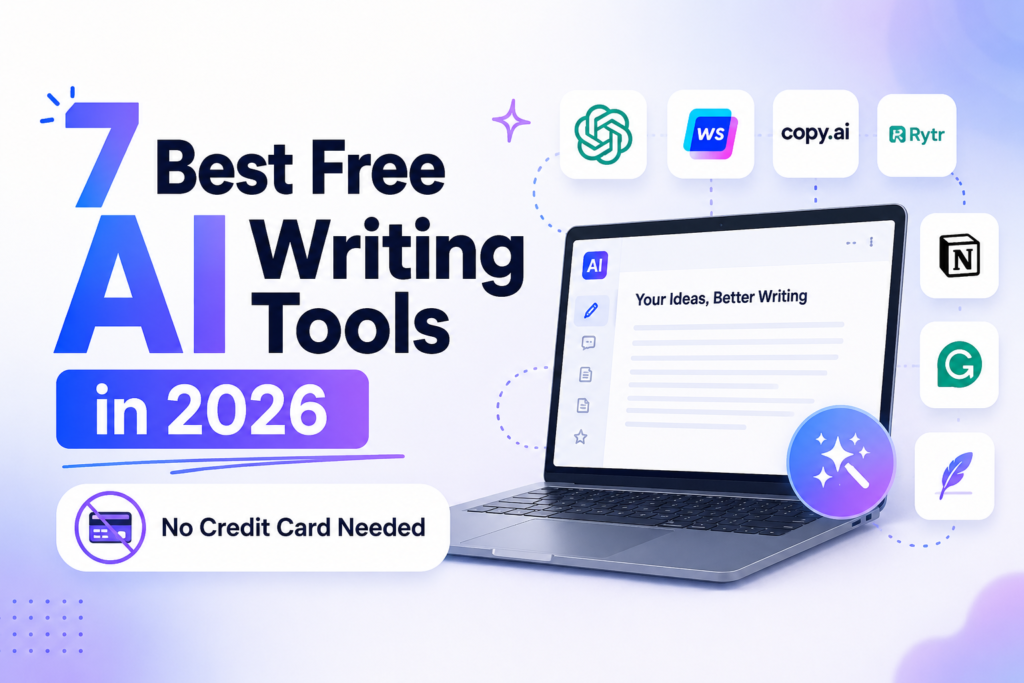
7 Best Free AI Writing Tools in 2026 (No Credit Card Needed)
Affiliate Disclosure: This post contains affiliate links to paid upgrade plans. If you buy through them, AIGearTools may earn a commission at no extra cost to you. Every tool below has a genuinely free tier — and our rankings are based on testing those free tiers, not the paid versions.
Quick Answer (AI Overview)
The best free AI writing tools in 2026 are ChatGPT (most capable free chatbot), Claude (best free writing quality), Gemini (most generous limits), Grammarly (best free editor), QuillBot (best free paraphraser), Copy.ai (2,000 free words monthly), and Canva Magic Write (free writing inside designs). All work without a credit card, and a combination of them covers most writing needs at $0.
Free Has Never Bought This Much
Five years ago, “free AI writing tool” meant a gimmicky generator that produced word salad after three uses. In 2026, the free tiers of frontier chatbots are more capable than the paid tools of 2022 — a strange inversion driven by fierce competition among AI labs. The catch is that free tiers are deliberately limited in different ways: message caps, word quotas, model downgrades, or missing features. Choosing well means knowing exactly which limits you can live with.
We tested 15 tools’ free plans over three weeks — no credit cards, no trials that expire, only permanently free tiers — on real tasks: blog drafting, email writing, paraphrasing, editing, and brainstorming. We tracked not just quality but how much work each free plan actually allows per day, because a brilliant tool that locks after two messages is not a tool, it is an advertisement. The seven below earned their places. When you outgrow them, our guide to the best AI writing tools in 2026 covers the paid landscape.
Best Free AI Writing Tools: Comparison Table
| Rank | Tool | Free Plan Limits | Best Free Use | Upgrade Cost |
| 1 | ChatGPT | Message caps on top model, then lighter model | All-purpose drafting | $20/mo |
| 2 | Claude | Daily message limit (resets) | Long-form quality writing | $20/mo |
| 3 | Gemini | Generous daily usage | Research-backed writing | $20/mo |
| 4 | Grammarly | Core grammar/spelling, basic tone | Editing everything | $12/mo |
| 5 | QuillBot | 125 words/paraphrase, limited modes | Paraphrasing & summaries | $10/mo |
| 6 | Copy.ai | 2,000 words/month | Marketing copy bursts | $36/mo |
| 7 | Canva Magic Write | 50 lifetime uses (free), more on Pro | Copy inside designs | $13/mo |
1. ChatGPT — Best Free AI Writing Tool Overall
ChatGPT’s free tier gives you genuine access to OpenAI’s current models — with usage caps that, once hit, drop you to a lighter model rather than cutting you off entirely. That graceful degradation matters: you are never locked out mid-task. Free users also get file uploads, web browsing, custom instructions, and limited image generation, a feature set that embarrasses many paid products.
Free-tier reality check: In our testing, the cap on the top model arrived after a solid morning of heavy drafting; the fallback model remained perfectly capable for emails, outlines, and edits. For a free user writing a few pieces daily, the limits rarely bite.
Upgrade when: you hit caps daily or need priority access during peak hours. ChatGPT Plus →
2. Claude — Best Free Tier for Writing Quality
Claude’s free plan offers fewer messages per day than ChatGPT, but each one carries the best prose quality in the free market. For long-form work — essays, articles, stories, careful emails — Claude’s drafts consistently needed the least editing in our blind comparisons, with more natural rhythm and fewer AI clichés. Its large context window (even free) means you can paste a whole draft for feedback in one go.
Free-tier reality check: The daily limit resets every few hours and roughly supports one focused writing session per day. The strategy that works: save Claude for the writing that matters and route routine tasks elsewhere. Our ChatGPT vs Claude comparison details when each shines.
Upgrade when: one session a day is not enough. Claude Pro →
3. Gemini — Most Generous Free Limits
Google’s Gemini offers the most breathing room of the big three: generous daily usage on a strong model, deep integration with Google Search for fact-grounded drafting, and free hooks into Docs and Gmail through Workspace features. For research-heavy writing — posts that need current statistics, comparisons, sourcing — Gemini’s search grounding produced the fewest factual errors in our tests.
Free-tier reality check: Limits were the hardest to hit in normal use. Writing quality sits a touch below Claude’s, with a tendency toward bullet-heavy structure unless you specify prose.
Upgrade when: you want the most advanced models and bundled storage. Google AI Pro →
4. Grammarly — Best Free Editor
Generators draft; Grammarly free makes whatever you drafted correct. The no-cost plan covers grammar, spelling, punctuation, and basic tone detection across your browser, email, and docs — and in our 60-error test document it caught 41 errors, beating every other free checker we tried. Since it layers on top of all the tools above, it belongs in every free stack regardless of which generator you pick.
Free-tier reality check: Clarity rewrites, advanced tone transforms, and plagiarism checks are Premium-only, and the upgrade nudges are frequent. The core correctness layer alone is still the best free writing upgrade available. Full breakdown in our Grammarly review.
Upgrade when: you write professionally every day. Grammarly Premium →
5. QuillBot — Best Free Paraphraser
QuillBot’s free paraphraser rewrites up to 125 words at a time in two modes, with a free summarizer, grammar checker, and citation generator alongside. For students and ESL writers, this toolkit handles the daily grind of rewording and condensing better than coaxing a chatbot — paste, click, compare synonyms with the slider, done.
Free-tier reality check: 125 words per pass means paragraph-by-paragraph work on longer texts, and five of seven paraphrase modes are paywalled. Annoying, workable.
Upgrade when: you paraphrase at length weekly. QuillBot Premium →
6. Copy.ai — Best Free Marketing Copy
Copy.ai’s free plan grants 2,000 words every month — modest, but pointed at exactly the tasks where 2,000 words go far: subject lines, ad variants, product descriptions, social captions, landing-page sections. Its 90+ templates mean zero prompt-writing skill required, which keeps the free words efficient.
Free-tier reality check: 2,000 words disappears fast if you draft blog posts; treat it as a short-copy ideation budget that refreshes monthly. The workflow automation that defines paid Copy.ai is absent — see our Copy.ai vs Writesonic comparison for what the paid tiers unlock.
Upgrade when: short-form volume becomes daily work. Copy.ai plans →
7. Canva Magic Write — Best Free Writing Inside Designs
If your words live inside graphics — social posts, presentations, flyers — Canva’s Magic Write drafts them where the design happens. The free plan includes a lifetime allowance of Magic Write uses plus Canva’s enormous free design toolkit, making it the most practical pick for visual-first creators who write captions and headlines more than essays.
Free-tier reality check: The lifetime cap (rather than monthly refresh) makes free Magic Write a taster, not a workhorse. The surrounding free design platform remains outstanding.
Upgrade when: you live in Canva anyway — Pro bundles far more than writing. Canva Pro →
How to Build a $0 Writing Stack That Actually Works
The trick to free AI writing tools is routing: send each task to the tool whose limits it will not break.
- Drafting that matters (articles, important emails): Claude’s daily session.
- Everything else conversational (outlines, quick rewrites, brainstorms): ChatGPT, falling back to Gemini when caps hit.
- Research-grounded sections (stats, comparisons): Gemini with search grounding.
- Rewording and condensing: QuillBot, paragraph at a time.
- Final pass on everything: Grammarly free in the browser.
- Marketing micro-copy: Copy.ai’s monthly 2,000 words.
This stack costs nothing, has no expiring trials, and in our testing handled a genuine 5-posts-per-week content schedule. Its real cost is friction — tab-switching and limit-juggling — which is precisely what the $20 upgrades remove. A sensible rule: the first month a free limit blocks you more than three times, that tool has proven its value; upgrade that one and keep the rest free.
The Limits Nobody Mentions
Honesty section. Free tiers fund themselves with your data more often than paid ones — review each tool’s training-data settings, and avoid pasting confidential client material into any free consumer chatbot. Quality throttling is real: several tools quietly serve lighter models to free users at peak times, so important drafts deserve off-peak hours or your best-quality tool. And free is not future-proof: limits have tightened industry-wide as AI compute costs bite, so build your stack on tools whose paid tier you would accept if the free one shrank.
The Right Free Stack for Your Situation
The seven-tool list above is a menu, not a prescription — most people need three. Match your profile:
The student: Gemini (research with sources) + QuillBot (paraphrasing and summaries) + Grammarly free (correctness, with an eye on whether your school provides Premium). Add Claude’s daily session for essays that count. Total cost: $0, covering the full coursework cycle from research to final polish.
The blogger or niche-site builder: Claude for drafting the posts that matter + Gemini for fact-grounded sections + Grammarly as the publish-gate. ChatGPT free handles outlines, titles, and meta descriptions. This exact stack, run through the workflow in our AI blog-writing tutorial, sustains a 3-posts-weekly schedule at $0.
The freelancer or solopreneur: ChatGPT free as the everything-assistant + Copy.ai’s 2,000 monthly words for proposals and marketing snippets + Grammarly on every client-facing message. The first paid upgrade that makes sense here is usually Grammarly Premium — client perception is the business.
The job seeker: Claude (cover letters need its prose quality) + ChatGPT (interview prep, resume bullet iterations) + Grammarly (zero typos on documents that decide salaries). Notably, this high-stakes, low-volume profile may never need to pay at all.
The social media creator: Canva Magic Write inside designs + Copy.ai for caption variants + ChatGPT for content calendars and hooks. Visual-first creators hit Canva’s free limits first; that is the upgrade to take.
Honorable Mentions: Four More Free Tools Worth Knowing
These four missed the top seven on free-tier limits or focus, not quality. Microsoft Copilot offers free access to strong OpenAI models with web grounding — a legitimate ChatGPT alternative, especially inside Edge and Windows, held back mainly by a clunkier writing workflow. Perplexity’s free tier is the best research companion on this page; it is not a writing tool per se, but its cited answers feed Step-1 research better than any chatbot (full thoughts in our upcoming Perplexity review). Notion AI gives trial credits rather than a permanent free tier, but if your notes already live in Notion, those credits demonstrate the lowest-friction drafting experience available. And Hemingway Editor’s free web app remains the best zero-cost readability check — paste your final draft, fix everything highlighted red, publish. A reasonable free stack quietly uses all four as supporting cast.
How We Tested
Three weeks, fifteen tools, zero dollars. Each free tier ran the same task battery: a 1,200-word blog draft, ten marketing snippets, a paraphrase-and-summarize set, and a week of real email editing. We logged the moment each tool’s limits interrupted work, what the degraded experience looked like after caps, and whether “free” required a credit card anywhere (instant disqualification). Two editors blind-scored output quality across tools on identical prompts, and we re-verified every limit figure in May 2026 — free tiers change quietly and often, so treat published caps as snapshots.
A final routing tip from our testing: keep a simple note pinned with each tool’s reset rhythm — Claude’s sessions reset every few hours, Copy.ai’s words reset monthly, Canva’s allowance never resets. Half the frustration people attribute to “free tools being limited” is really just hitting the wrong tool at the wrong point in its cycle, and a thirty-second note eliminates it entirely.
Frequently Asked Questions
ChatGPT’s free tier is the best overall — strong models, file uploads, and browsing with graceful limits. Claude offers the highest free writing quality per message, and Gemini offers the most generous daily usage.
The seven above have permanent free plans with no credit card — genuinely free, with limits on volume or features. Beware of tools advertising “free” that mean a 7-day trial requiring payment details.
Yes. A Claude or ChatGPT draft, Gemini-grounded research, QuillBot tightening, and a Grammarly pass produced publishable posts in our test at $0. Expect more tab-juggling than a paid single-tool workflow.
For Jasper’s writing, ChatGPT and Claude free tiers come close or better; nothing free replicates Jasper’s brand-voice and team workflow. Our Jasper AI review covers exactly what the $49 buys.
Policies vary and change — most consumer free tiers may use conversations to improve models unless you opt out in settings. Never paste confidential or client-sensitive material into a free consumer chatbot without checking its data controls.
When a limit blocks real work more than a few times in a month, or when you need features free tiers exclude (plagiarism checks, brand voices, workflow automation). Upgrade the single tool causing the friction, not the whole stack.
Final Verdict
The best free AI writing tools in 2026 are not crippled demos — they are a complete, $0 writing department for anyone willing to route tasks intelligently: ChatGPT for everything, Claude for the writing that matters, Gemini for facts, Grammarly for the final pass, with QuillBot, Copy.ai, and Canva covering specialist corners. Start free, let real friction tell you which upgrade earns its $10–20, and graduate to our full best-AI-writing-tools ranking when your output justifies it.
And a closing reassurance for anyone feeling tool-fatigue: you do not need all seven on day one. Install ChatGPT or Claude plus Grammarly this week, write normally, and let actual friction — not feature lists — pull the rest of the stack into your workflow one tool at a time. The best free stack is the one you actually use.
*Disclaimer: AIGearTools tested the free tiers of every tool above in May 2026; free-plan limits change frequently, so confirm current terms on official sites. Some links point to paid plans and are affiliate links — we may earn a commission at no extra cost to you, which never affects rankings.